
Server Room Lux Levels: Targets, Rack-Face Checks and Safety
Good server room lux levels support safe movement, routine inspection, cable identification and maintenance at equipment racks. A single reading on the floor cannot show whether technicians can see labels, ports and patch panels clearly.
Key Takeaways
| Area or question | Practical starting point | Why it matters |
|---|---|---|
| Server and equipment aisles | 300–500 lux horizontal | Supports movement, inspection and routine maintenance. |
| Rack faces and patching zones | 300–500 lux vertical | Helps technicians see labels, ports and cable colors. |
| Corridors and circulation routes | 100–200 lux horizontal | Provides practical visibility for movement between spaces. |
| Electrical, UPS and battery rooms | Task-dependent | Supports inspection and safe access to equipment. |
| Control rooms and NOCs | 500–750 lux maintained | Balances visibility for screens, paperwork and operator tasks. |
| Emergency egress | Use the adopted local code | Normal lighting targets do not establish emergency-mode requirements. |
- What is a practical server room target? Start with 300–500 lux horizontally in equipment aisles, then assess rack-face illuminance separately.
- Are these legal minimums? No. They are engineering targets; applicable requirements depend on the jurisdiction, adopted codes, project specifications and tasks. See this area-by-area guide to data center illuminance for more on setting project criteria.
- What does a useful lighting survey include? Record horizontal and vertical readings, their locations, minimum and average values, and the conditions under which you measured them.
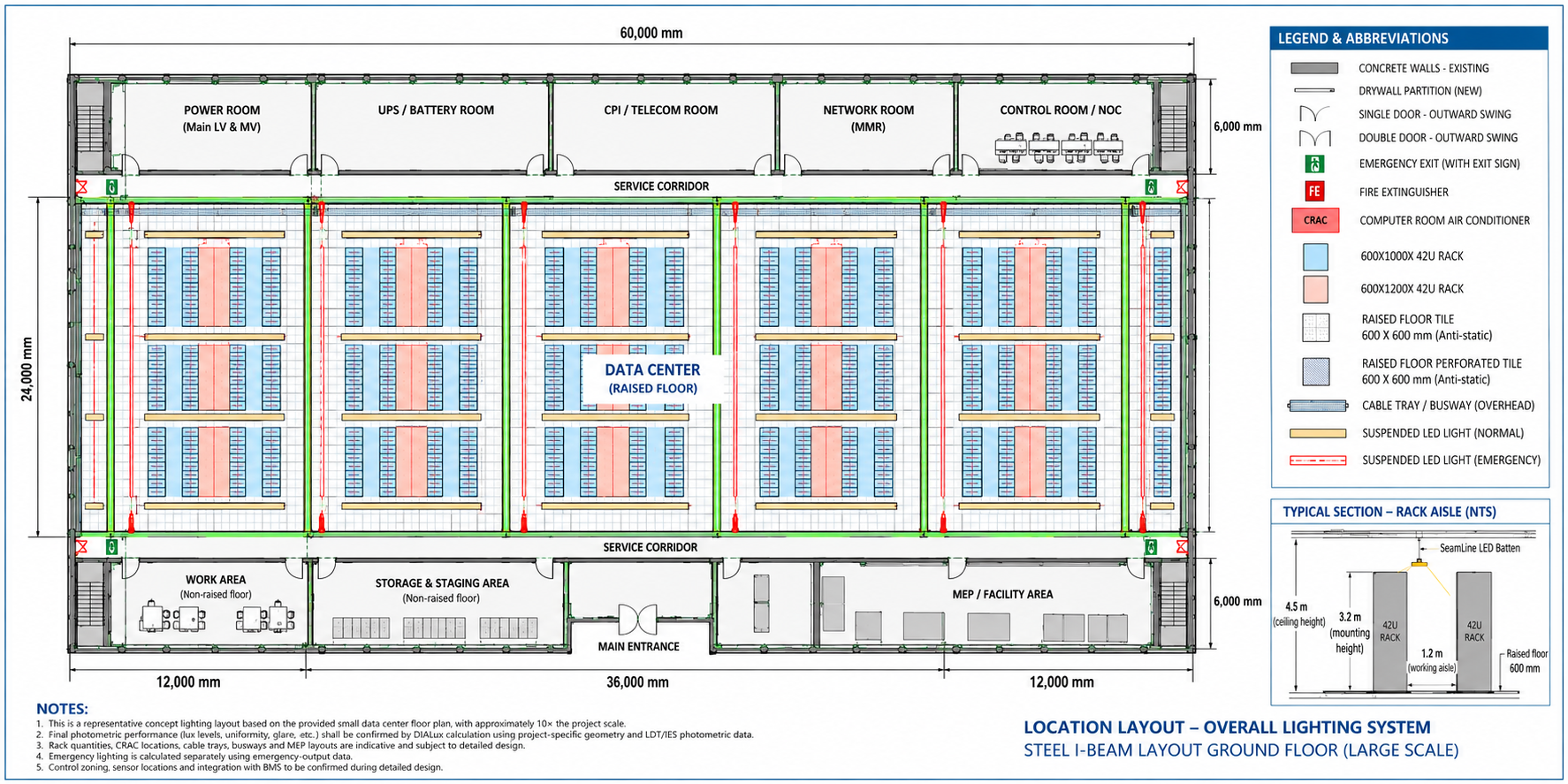
Set Different Illuminance Targets for Each Data Center Zone
There is no single standard lux level that suits every data center space. We recommend setting targets by task and zone so that bright equipment aisles, circulation routes and support rooms each receive appropriate lighting.
| Zone | Practical design target | Measurement plane |
|---|---|---|
| Server and equipment aisles | 300–500 lux | Horizontal |
| Rack faces and patching zones | 300–500 lux | Vertical |
| Corridors and circulation routes | 100–200 lux | Horizontal |
| Electrical, UPS and battery rooms | Task-dependent | Horizontal |
| Control rooms and NOCs | 500–750 lux maintained | At the relevant work areas |
For routine movement, inspection and access, plan for 300–500 lux horizontally in server and equipment aisles. A target near the upper end helps where staff regularly read small labels, follow dense cabling or perform detailed work.
Also target 300–500 lux vertically at representative rack faces. Detailed maintenance points may need around 500 lux or supplementary task lighting, especially when technicians work on small components or densely packed patch panels.
Corridors and circulation routes commonly use 100–200 lux horizontally, and assess electrical, UPS and battery rooms for their inspection and access tasks. Add task lighting at benches, meters or small control labels when the work calls for more detail.
For control rooms and NOCs, plan for 500–750 lux maintained at relevant work areas. Operators need enough light for screens and paperwork without excessive glare or reflections on displays.
Our overview of data center lux levels and server room lighting standards provides further context for area-specific targets.
Separate Recommended Targets from Legal Minimums
Recommended design levels and legally enforceable minimums are not interchangeable. The criteria for a project depend on its adopted building code, occupational-safety rules, emergency-lighting requirements, client specifications and the tasks people perform in each space.
Before setting compliance criteria, identify the jurisdiction, the code editions it has adopted and the authority having jurisdiction. Standards such as NFPA 101 and TIA-942 may be relevant, but their applicability and interpretation depend on the project.
- OSHA 29 CFR 1926.56: minimum illumination during covered construction activities.
- ANSI/IES RP-7: recommended practice for industrial-facility lighting.
- NFPA 101: life-safety and emergency-egress reference where adopted.
- U.S. Building Energy Codes Program: lighting-power and control guidance associated with IECC and ASHRAE 90.1.
The 300–500 lux values in this article are practical CAE design targets, not universal statutory minimums. Confirm the adopted edition and authority having jurisdiction for every project.
Always state whether a reading is horizontal or vertical: a horizontal floor measurement and a vertical rack-face reading describe different conditions and cannot be compared as if they were the same.
Average illuminance alone can hide dark points. Record minimum readings and uniformity as well, since an acceptable room average does not guarantee visibility at a rack end, beneath a cable tray or between fixtures.
Measure Floors and Rack Faces with a Repeatable Survey
A repeatable survey shows whether light supports both safe movement and the technician’s view of equipment. Use a calibrated lux meter, then record its model, calibration status, the date, operating conditions and each measurement location so later surveys can be compared meaningfully.
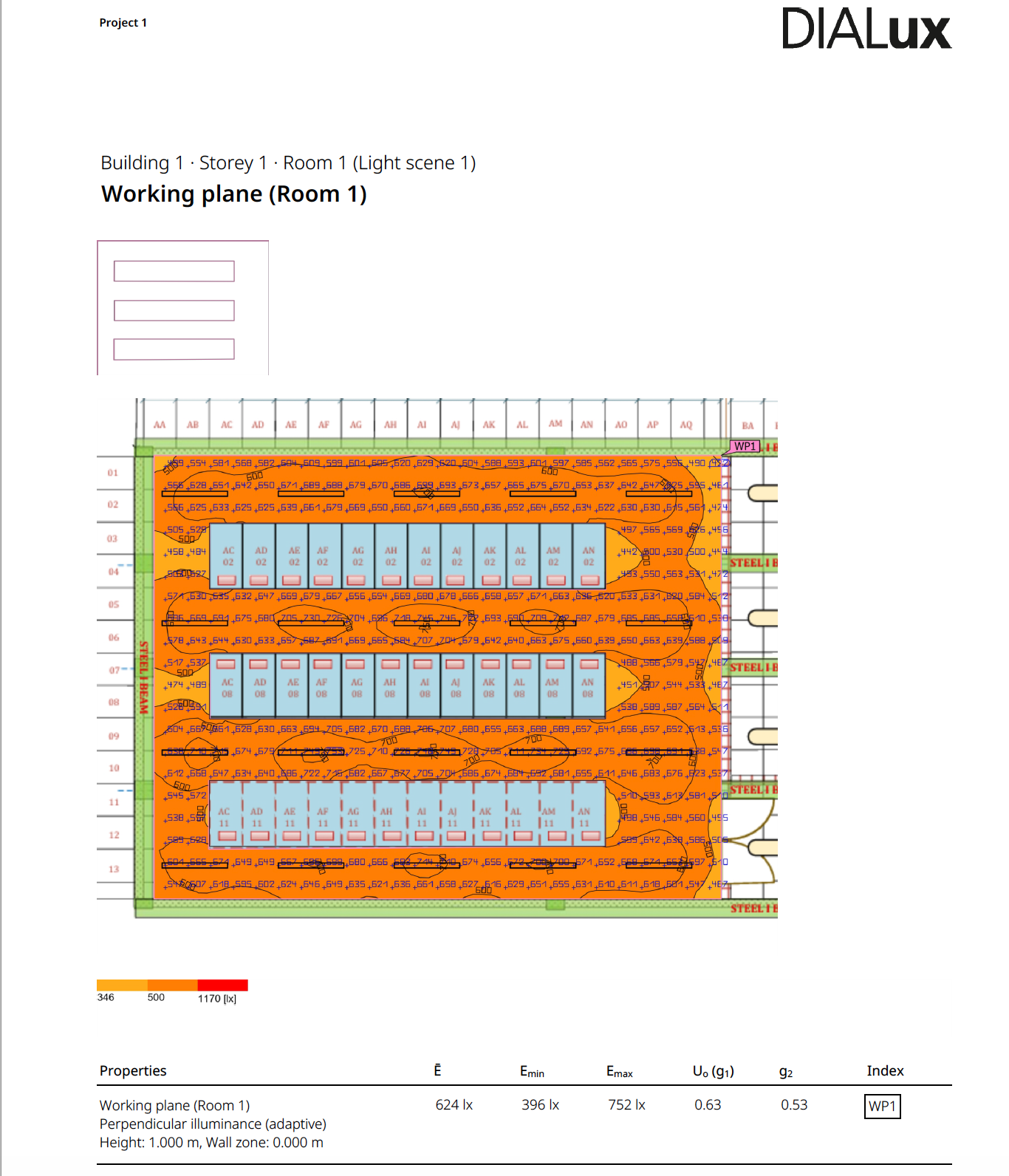
Take horizontal readings at the defined working plane across aisles and circulation areas. Use a consistent grid that covers aisle centers, ends and likely dark points rather than relying on one convenient floor reading.
For rack-face illuminance, turn the sensor so its plane faces the cabinet and take readings at representative working heights. Keep these vertical results separate from horizontal readings, and include upper, middle and lower areas where technicians need to see equipment.
Check rack visibility with cabinet doors open and closed where relevant. Note reflections, shadows from nearby equipment and any obstruction of labels, ports or patch panels.
After rack-layout, fixture or control changes, repeat readings at the same locations and under comparable conditions. This makes the before-and-after comparison useful instead of relying on the original design calculation or a single room-wide number.
For a fuller field procedure, use our guide to measuring server room lux at floors and rack faces.
Position Fixtures to Limit Shadows, Glare and Dark Spots
Align fixtures with equipment aisles so light reaches both the working area and rack fronts. Review whether rack rows, cable trays or other overhead services create persistent shadows over labels and patching zones.
Inspect aisle ends, spaces between cabinets and locations below obstructions instead of judging a layout from the room center. A layout can produce a strong average while leaving specific work points poorly lit.
Check for glare and reflections on cabinet doors and equipment surfaces. A bright reflected source can make nearby details harder to see, even when a meter records adequate illuminance.
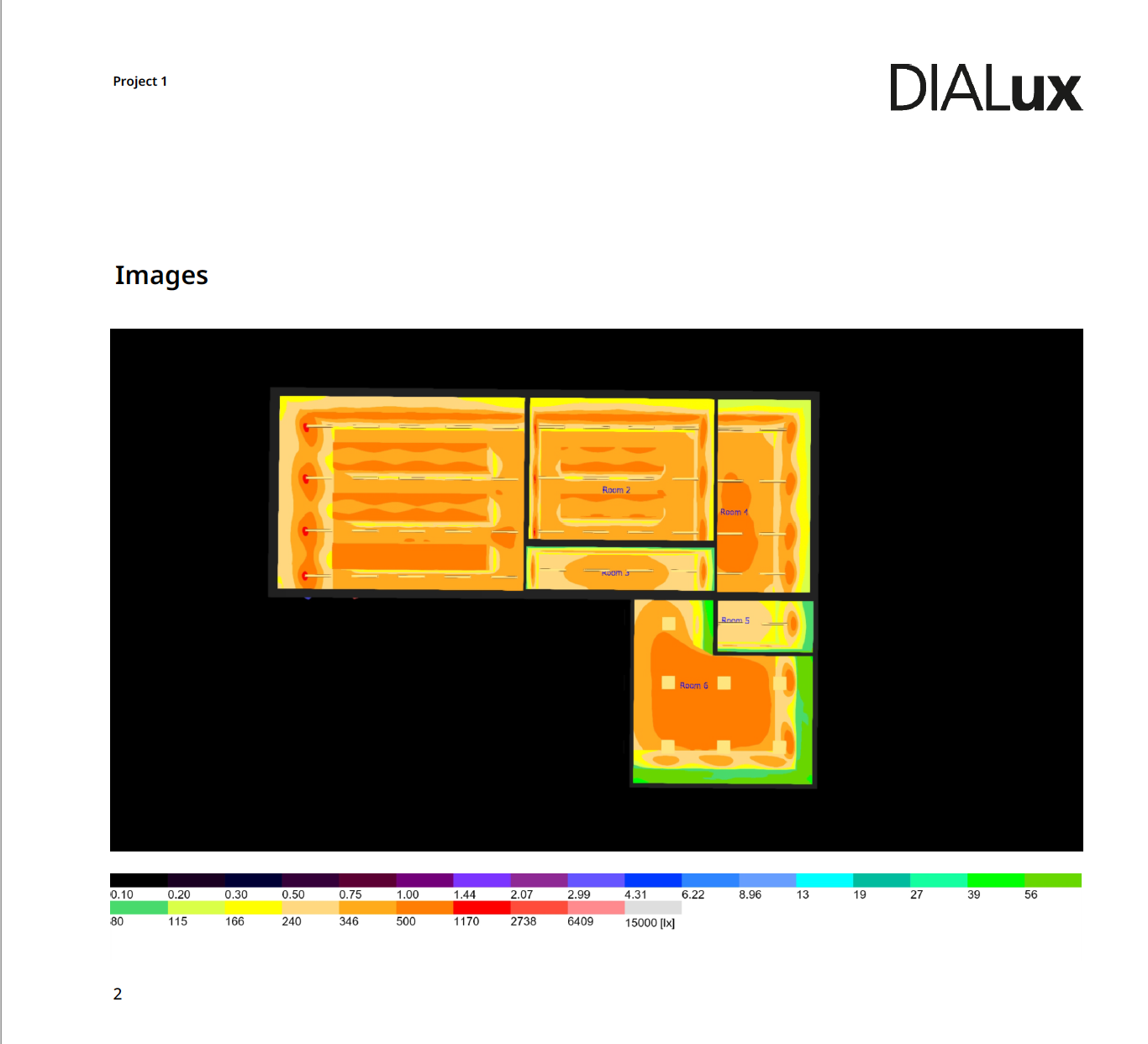
Assess light distribution and uniformity alongside average lux. Correct localized shadows or unevenness through fixture position, spacing or optics instead of simply increasing output across the whole room.
Linear luminaires installed parallel to aisles can provide consistent coverage along long rack rows. A fixture layout based on room dimensions and photometric performance helps teams check the distribution before installation.

Choose Light Quality That Supports Maintenance Work
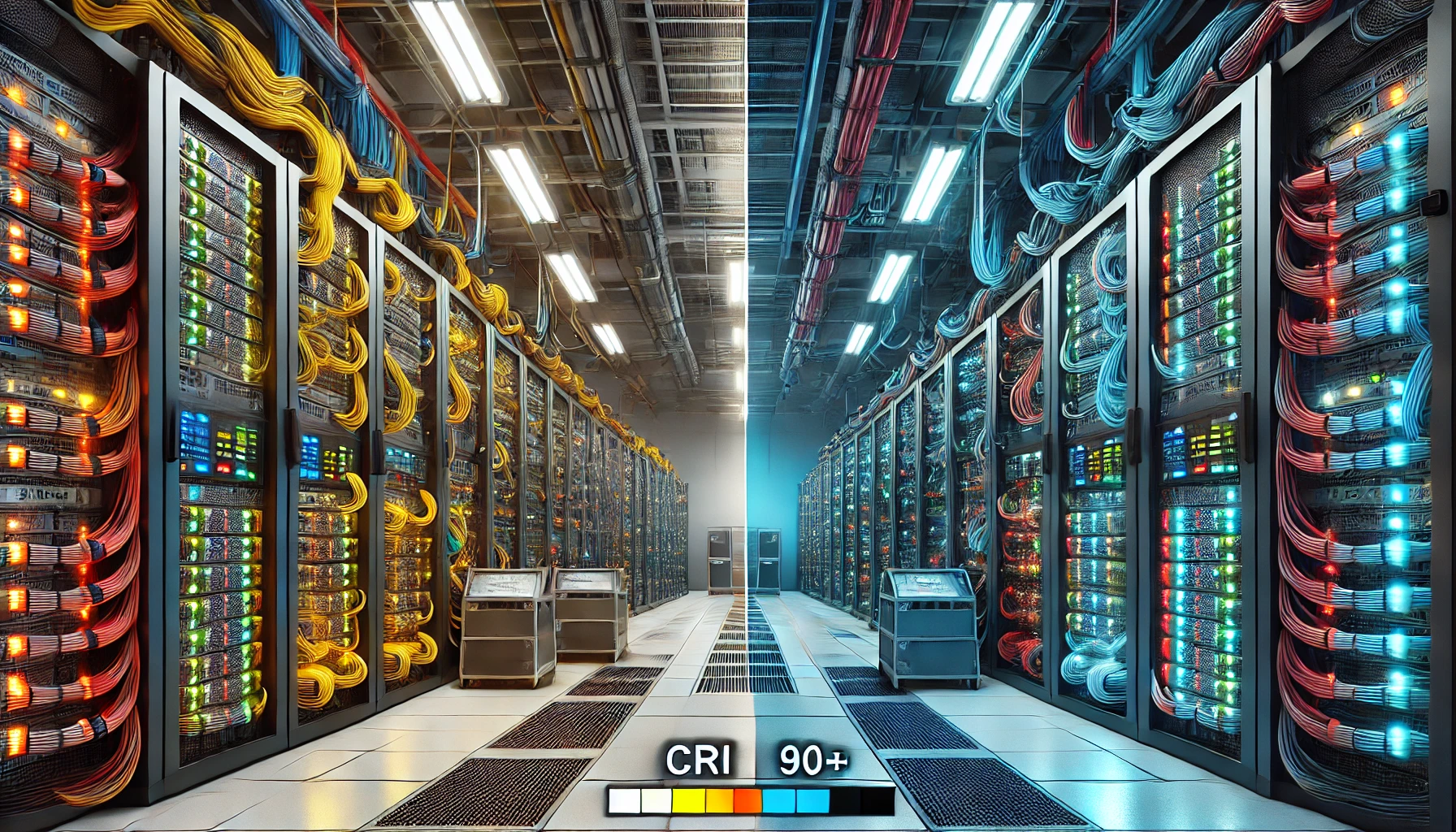
Use a color rendering index (CRI) of 80 or higher as a practical target. Consider CRI 90 or higher where technicians need to distinguish cable colors reliably or inspect color-coded components.
A neutral-white range of 4000–5000 K supports visibility in technical spaces. Color temperature does not replace sufficient illuminance or good color rendering, so evaluate all three qualities independently.
Check for visible or disruptive flicker during maintenance tasks. Unstable light can cause discomfort and make sustained visual work less comfortable.
Assess color and glare at actual rack faces, not just in an empty room. Cabinet reflections and viewing angles can change how indicators, labels and cable colors appear to a technician.
Design Emergency Egress Lighting Separately from Normal Lighting
Emergency egress is a separate design condition. Normal-operation targets do not establish the illumination required when normal power fails, so determine emergency criteria from the locally adopted code and the authority having jurisdiction.
Do not apply one assumed minimum lux value to every facility. NFPA 101 is an important life-safety reference in the United States, but the adopted edition and local interpretation determine what applies; consult the NFPA 101 Life Safety Code information for context.
Test egress routes under loss of normal power, using the actual emergency source and operating mode. Confirm that the routes remain safely usable in the conditions the system is designed to address.
Keep emergency-path coverage distinct from task lighting at racks. Egress lighting helps people leave safely, while rack task lighting supports detailed equipment work.
For related guidance, see our articles on emergency lighting and applicable safety rules and emergency egress layouts and photometric planning.
Use Controls and Ongoing Checks Without Compromising Safe Access
Occupancy sensors, dimming and schedules can reduce lighting in genuinely inactive areas. Set controls so an occupied work zone does not become inadequately lit, and keep egress lighting on its required life-safety operation rather than relying on ordinary occupancy settings.
LED efficacy and reduced lighting use can lower electrical demand and the lighting heat that the cooling system must remove. Check that energy-saving settings still provide suitable light for the tasks performed in each zone.
Include fixture condition, cleaning and repeat lux measurements in maintenance reviews. Recheck areas after equipment, rack layout or lighting-control changes because each can affect shadows and light distribution.
Where continuity matters, plan normal and emergency operation as coordinated but distinct functions. Our guidance on LED emergency lighting and controls and redundant lighting systems covers related design considerations.
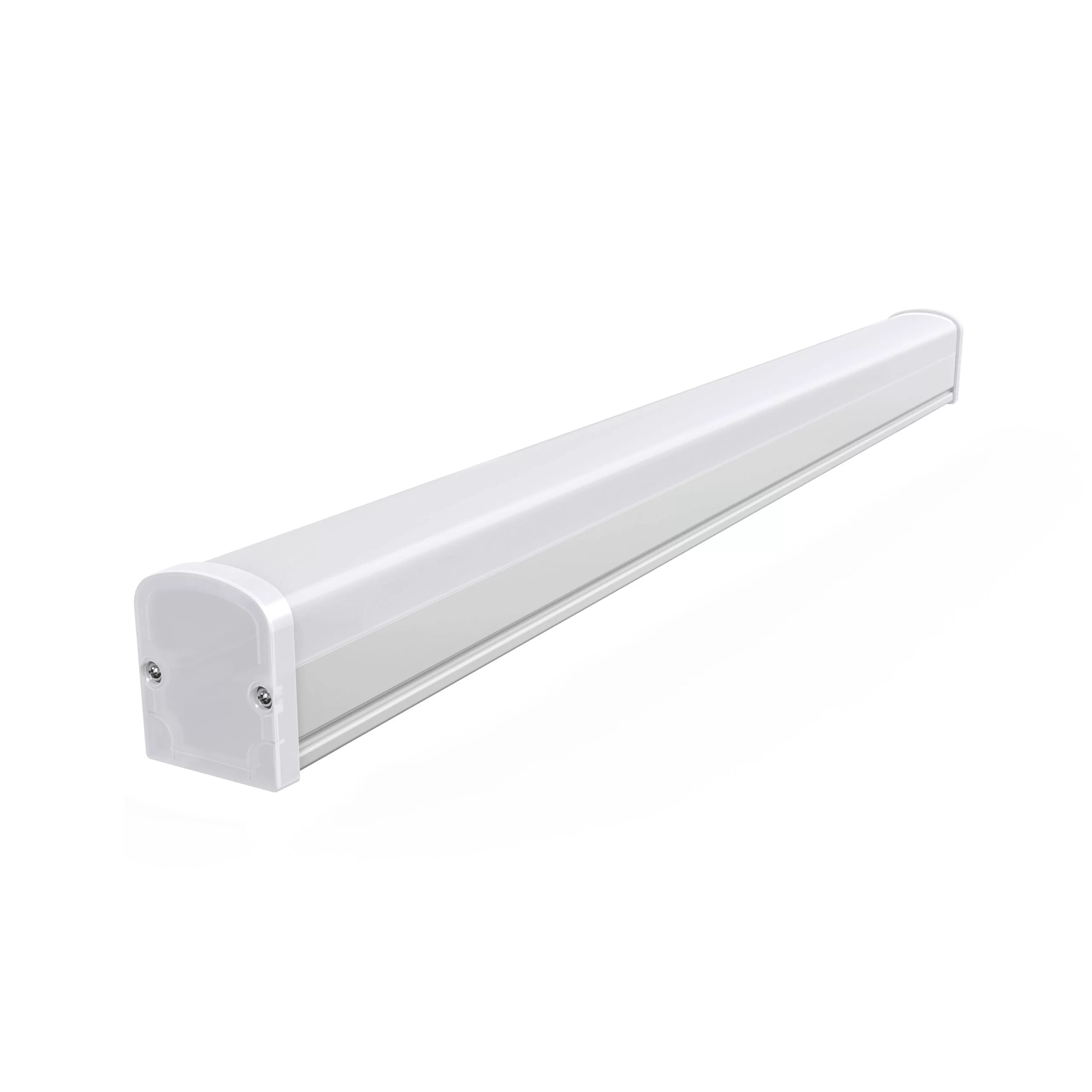
For aisle applications, the SeamLine LED Batten is a linear option designed for data center infrastructure. It has a 140° beam angle, CRI above 90 and surface-mounted or suspended installation options.
Frequently Asked Questions
Can a phone app measure server room lux accurately enough for a compliance assessment?
A phone app can help with a rough comparison, but phone sensors are not a substitute for a calibrated lux meter in a compliance assessment. Differences in sensor response, calibration and how the phone is held can affect the result.
How often should server room illuminance be surveyed?
Set the survey interval through the facility’s maintenance program and the consequences of lighting failure in each area. Also schedule a new survey after a change to racks, fixtures or controls, or when staff report a visibility problem.
Does a lux meter need calibration for reliable lighting surveys?
Yes. Calibration helps keep readings traceable and comparable over time; follow the instrument manufacturer’s calibration interval and your facility’s measurement-quality procedures.
Can dust on a fixture change the illuminance reaching a rack face?
Yes. Dust and dirt can reduce the light leaving a fixture and affect how evenly it reaches nearby surfaces. Cleaning fixtures and then repeating measurements helps show whether the maintenance restored the intended conditions.
Can a standard lux meter identify flicker?
A standard lux reading reports illuminance, not the full time behavior of the light output. Use an instrument designed to assess flicker when you need to investigate visual instability or discomfort.
Does a higher lux reading always mean a better lighting layout?
No. A higher average can coexist with glare, reflections or dark patches at the rack faces. Review minimum readings, uniformity and visibility at the actual work points as well as the average.
Conclusion
Effective server room lux levels are based on task-specific targets, repeatable horizontal and vertical measurements, and a separate assessment of emergency egress. Use 300–500 lux horizontally in equipment aisles as a practical starting point, then verify rack-face illuminance, uniformity, glare and local code requirements.
Do not approve a data center lighting design from one average floor reading. A useful commissioning record shows where and how the team measured, the conditions during the survey, and whether equipment faces and escape routes remain adequately lit.
Planning a server room lighting survey or retrofit? Send CAE Lighting your rack layout, aisle dimensions and target lux levels for a fixture recommendation and photometric assessment.