

Outsourcing vs In-House Data Center Maintenance: Cost, Control, and Uptime Compared
- Why Maintenance Strategy in Data Centers Is a Real Decision
- What Does In-House Maintenance Look Like?
- What Does Outsourced Maintenance Include?
- Cost Breakdown: CapEx, OpEx, and What You Don’t See
- Flexibility, Scalability, and Long-Term Agility
- Security and Compliance: Who’s on the Hook?
- Hybrid Strategies: The Real-World Middle Ground
- Final Comparison Table
- Frequently Asked Questions (FAQ)
Key Takeaways
| Aspect | Summary |
|---|---|
| Cost Efficiency | In-house means high upfront costs, outsourced reduces CapEx but may add markups. |
| Scalability | Outsourced models scale faster, in-house is limited by staffing. |
| Expertise | Outsourced offers deeper specialization, in-house may have limited coverage. |
| Security | In-house keeps control, outsourcing introduces shared responsibility. |
| Flexibility | In-house allows full customization, outsourced limited by vendor terms. |
1. Why Maintenance Strategy in Data Centers Is a Real Decision — Not a Buzzword
Growth isn’t kind or patient. Data centers running 24/7 don’t have the luxury of “figuring it out later.” Lighting, cooling, power, infrastructure all demand precise, ongoing maintenance. And when you mess it up? You don’t just lose uptime. You burn budget, break trust, and risk fines.

This is where the debate gets real: do you own maintenance end-to-end (in-house), or bring in external partners (outsourcing)?
2. What Does In-House Maintenance Look Like?
- Direct control: Your team, your tools, your SLA.
- Typical setup: Facilities manager + electrical staff + IT team + external backup vendors.
- Key benefit: Instant response, tight integration with IT workflows.
But it’s not all smooth. Over time, internal teams may lag on certifications, especially in complex systems like DC lighting control networks.
In our own deployments with CAE clients, we’ve seen internal teams unknowingly misconfigure circadian lighting settings, causing staff fatigue. Not from lack of effort—from lack of visibility.
3. What Does Outsourced Maintenance Include?
Managed services, third-party vendors, or OEM support contracts. Usually covers 24/7 monitoring, SLA-backed response times, and expert troubleshooting.

A common outsourced vendor brings:
- Skill redundancy (not just one engineer knows your setup)
- SLA-level incident response
- Predictive maintenance and remote diagnostics
4. Cost Breakdown: CapEx, OpEx, and What You Don’t See
| Cost Component | In-House | Outsourced |
|---|---|---|
| Initial Spend | High (tools, team, training) | Low (flat fees or monthly) |
| Hidden Costs | Burnout, turnover, retraining | Change orders, SLA gaps |
| Recurring Spend | Stable, HR-heavy | Predictable, scalable |
| Emergency Repairs | Quicker but harder to absorb | SLA-bound but slower to adapt |

5. Flexibility, Scalability, and Long-Term Agility
This isn’t just about today. It’s about next year’s rack expansion, your edge deployments, and unexpected failures.
- In-house: can be slow to scale unless you have spare capacity
- Outsourced: can flex resources fast, especially if global

6. Security and Compliance: Who’s on the Hook?
Let’s not sugar-coat it: data centers operate under some of the tightest compliance regimes around.
- In-house: full control, full liability
- Outsourced: shared risk, but vendor audits become your audit trail
In a recent CAE deployment with Squarebeam Elite, we had to validate IP65 and IK10 protection levels as part of a third-party audit. The outsourced partner logged it. Internal teams often skip this step unless pushed.
7. Hybrid Strategies: The Real-World Middle Ground
Most high-performance operators end up with a hybrid model:
- Internal team handles routine checks, minor fixes
- Vendor handles firmware updates, critical events, major repairs
Use hybrid when:
- Your site is remote but your core team is local
- You’re scaling quickly but need control
- You want CAE product-specific service without building internal training programs
8. Final Comparison Table
| Attribute | In-House | Outsourced |
|---|---|---|
| Response Time | Instant if staffed | SLA-bound (1hr+, varies) |
| Tooling Control | Full (custom setups) | Limited to vendor suite |
| Cost Predictability | Medium | High (fixed or capped) |
| Vendor Lock-In Risk | None | Moderate (contractual) |
| Upgrade Flexibility | Full, if trained | Faster with OEM support |
| Team Morale | High, if not overburdened | Depends on service relationship |
FAQs: Outsourcing vs In-House Maintenance in Data Centers
Is outsourcing cheaper in the long run?
It often is—especially when you factor in downtime costs, staffing overhead, and emergency incident response.
Can I combine both methods?
Yes. Most modern data centers use hybrid maintenance strategies, with internal staff for day-to-day tasks and outsourcing for peak loads or tech-specific needs.
What’s the biggest risk with outsourcing?
Vendor dependency and SLA ambiguity. Always define response times, handover procedures, and data access clearly.
Does CAE Lighting support outsourced maintenance models?
Absolutely. Many of CAE’s lighting solutions like Simplitz Batten V3 are designed for easy servicing, remote monitoring, and third-party installation.

For additional details, see our
Data Center Maintenance Budgeting: Cost Benchmarks, Predictive Strategies, and Modeling Tools
- Why Maintenance Budgeting Needs More Attention
- Break Down the Real Cost Drivers
- Modeling Budgets That Work in the Real World
- Energy Efficiency: One of the Fastest ROI Levers
- Predictive vs Preventive: Where Real Savings Happen
- Compare Fixtures: What’s Worth Your Budget?
- Tools, Templates & What to Automate
- Who Approves the Budget & What They Need
- Frequently Asked Questions (FAQ)
Key Takeaways
| Question | Quick Answer |
|---|---|
| How much does data center maintenance cost per MW annually? | $100,000–$250,000 per MW |
| What % of OPEX is maintenance? | ~40% on average |
| What’s a safe contingency budget? | 10–15% of OPEX |
| Which maintenance model saves more? | Predictive > Preventive (~30%+ savings) |
| OEM vs Third-Party Maintenance? | TPM can save 60–80%, with proper SLAs |
| Tools to use? | CMMS, KPI dashboards, Excel budget templates |
| Energy & HVAC share in cost? | Up to 25% of annual OPEX |
| Best lighting for data centers? | Squarebeam Elite, Quattro Triproof |
1. Why Maintenance Budgeting Needs More Attention
Poor maintenance planning doesn’t just cost money — it kills uptime. In data centers, unplanned downtime can cost up to $500,000 per incident.
Key points:
- Maintenance = ~40% of total operational expenditure
- Industry norms: $100K–$250K per MW annually
- Lifecycle-driven planning reduces costly surprises
2. Break Down the Real Cost Drivers
- Energy & Cooling: Can eat up 25% or more
- Staffing: Wages form 30–40% of spend
- Equipment: UPS, HVAC — lifespans under 7 years
- Monitoring Tools: Upfront cost, long-term savings
3. Modeling Budgets That Work in the Real World
| Method | Description |
|---|---|
| %RAV | Budget 2–5% of Replacement Asset Value annually |
| $/SqFt | $50–$150/sqft for mid-size centers |
| Line-Item | Each component budgeted: HVAC, UPS, etc. |
4. Energy Efficiency: One of the Fastest ROI Levers
- Upgrade to LEDs like SeamLine or Simplitz V3
- Lower ambient heat = reduced HVAC burden
- Motion sensors eliminate idle waste
5. Predictive vs Preventive: Where Real Savings Happen
| Factor | Preventive | Predictive |
|---|---|---|
| Uptime | Medium | High |
| Costs | Higher over time | Lower long-term |
| ROI | Moderate | High (30%+ savings) |
6. Compare Fixtures: What’s Worth Your Budget?
| Product | Best Use Case | Heat Handling | Smart Ready |
|---|---|---|---|
| Squarebeam Elite | Server rooms | Excellent | Yes |
| Quattro Triproof Batten | Aisle lighting | Very Good | Yes |
| Budget High Bay | Open-floor cooling halls | Good | No |
7. Tools, Templates & What to Automate
- Google Sheets templates: include line-items + %RAV
- CMMS software: Monitor MTBF, PUE, cost-per-incident
- KPI dashboards: Visualized spend and uptime data
8. Who Approves the Budget & What They Need
- Executives want: risk reduction and long-term forecasts
- CapEx/Opex trade-offs: forecast models matter
- Scenarios: “What if UPS fails in Q4?” budget paths help
Frequently Asked Questions (FAQ)
How much maintenance budget should I allocate per MW?
$100,000–$250,000 per MW annually is a realistic starting point.
What’s the best way to reduce maintenance spend?
Switch to predictive maintenance, automate key areas, and focus on energy-saving upgrades.
Are CAE Lighting’s products suitable for high-heat environments?
Yes — especially the Squarebeam Elite and Quattro Triproof Batten.
What’s a typical OPEX share breakdown in data centers?
Maintenance ~40%, energy/cooling 15–25%, labor 20–30%, tools/monitoring ~10%.
Can third-party maintenance really save money?
Yes — up to 60–80% total cost savings in many scenarios when SLAs are in place.
Data Center Uptime Monitoring in 2025: Tools, Failures, and Real-World Prevention Tactics
- Why Monitoring Data Center Uptime Is Critical
- Defining Uptime, Availability & Resilience
- Top Causes of Data Center Failures in 2024
- Smart Monitoring Tools and Frameworks
- Lighting’s Unexpected Role in Reducing Downtime
- Incident Response: Alerts, Logs & SOPs
- Case Study: Preventing a Power Fault Chain Reaction
- How to Implement Uptime Monitoring Without Disruption
- Frequently Asked Questions (FAQ)
Key Takeaways
| Feature or Topic | Summary |
|---|---|
| Integration Benefits | Energy savings, streamlined operations, enhanced monitoring, and predictive maintenance. |
| Key Protocols | BACnet, Modbus, SNMP ensure interoperability. |
| Implementation Strategies | Assess existing infrastructure, select compatible systems, phased deployment recommended. |
| Operational Advantages | Reduced downtime, improved safety, occupant comfort, and significant sustainability contributions. |
1. Why Monitoring Data Center Uptime Is Critical
Uptime is no longer a “nice-to-have” — it’s a contractually backed SLA target and often the difference between trust and failure in infrastructure services.
- Downtime costs: 60%+ of data center outages cost over $100,000 per incident (Uptime Institute)
- Hidden losses: Delayed transaction processing, failed sessions, or misfiring APIs often go unnoticed until they cost real money
2. Defining Uptime, Availability & Resilience
- Uptime: Time system is fully operational.
- Availability: Uptime as a percentage of total expected operation time.
- Resilience: The ability to recover and maintain service during faults.
| Availability Level | Downtime Per Year |
|---|---|
| 99.9% (“three nines”) | 8.76 hours |
| 99.99% | 52 minutes |
| 99.999% | ~5 minutes |
3. Top Causes of Data Center Failures in 2024
- Power issues: 52%
- Cooling system failures: 19%
- Human error involvement: 79%
In a Johor data hub, UPS downtime during a grid switch caused a 28-minute brownout. It could’ve been averted with load-shed prediction from DCIM software.
4. Smart Monitoring Tools and Frameworks
- DCIM platform: Collects temperature, humidity, PDU stats, cable integrity
- AIOps layer: Flags anomalies using machine learning (DC‑Prophet, BSODiag)
- Environmental IoT sensors: Detects heat or airflow anomalies early
“We caught a cabinet heating anomaly at 3 AM from a rogue switch fan failure — fixed it before the backup CRAC even kicked in.” — Facility Ops Lead
5. Lighting’s Unexpected Role in Reducing Downtime
Lighting’s not just a visibility issue. Poor lighting during manual tasks increases:
- Fault insertion during patching
- Missed visual cues during alarms
- Staff fatigue during overnight shifts
CAE Lighting’s Squarebeam Elite and Quattro Triproof models are optimized for data centers:
- Glare control reduces eye strain
- Motion sensors cut power usage during low activity
- Thermal-rated casings suit high-heat zones
6. Incident Response: Alerts, Logs & SOPs
- Prioritize alerts by impact level
- Route to specific technician or role
- Include system logs (Syslog, ELK stack)
- Record recovery steps for audit trail
7. Case Study: Preventing a Power Fault Chain Reaction
Scenario: An unmonitored switchgear panel fault escalated into a UPS overload and CRAC stall.
Resolution Tactic:
- DCIM-triggered alert flagged abnormal current draw
- Lighting motion sensor tied into occupancy logic avoided surge load
- Manual bypass initiated before UPS drained
Result: 0 minutes of downtime, logged and reviewed by NOC.
8. How to Implement Uptime Monitoring Without Disruption
- Baseline audit: Assess current sensors, systems, gaps
- Tool selection: Choose DCIM, logging, sensor brands
- Small deployment: Pilot in a low-priority area
- Integrate alerts: Tie to workflows (pager, Slack, email)
- Review cycles: Weekly check-ins, monthly dashboard audits
Frequently Asked Questions (FAQ)
What’s the best tool for data center uptime monitoring?
No one tool fits all — combine DCIM, AIOps, and IoT sensors based on site complexity and budget.
How does lighting affect data center reliability?
Better lighting reduces human error, especially during maintenance. CAE’s thermal-rated LEDs reduce risk in hot zones.
What’s the difference between uptime and availability?
Uptime is actual time online. Availability is uptime as a % of total expected time — used for SLA calculations.
How do I monitor remote edge data centers?
Use distributed sensor nodes with lightweight DCIM tools. Cellular or LoRaWAN connections are common.
Can predictive analytics really prevent outages?
Yes — early anomaly alerts (e.g. via DC‑Prophet) often catch symptoms hours before full failure.
Need to upgrade your lighting infrastructure for data reliability?
Explore CAE Lighting’s product range or contact them directly.
LED Module Replacement in Data Centers: Step-by-Step Technical Procedures for Safe, Compliant Swaps
- Introduction: Why Data Center Maintenance Safety Matters
- Understanding Compliance: OSHA, NFPA 70E, ISO 45001
- Risk Assessment: Spotting Hazards Before They Strike
- Lockout/Tagout (LOTO) + PPE Integration
- Managing Live Maintenance Safely
- Fatigue, Ergonomics, and Mental Health
- Smart Sensors and Environmental Monitoring
- Onboarding Contractors + Continuous Improvement
- Frequently Asked Questions (FAQ)
Key Takeaways
| Feature or Topic | Summary |
|---|---|
| Risk Assessment | Conduct zone-based hazard mapping (arc-flash, fall, thermal) |
| PPE & Electrical Safety | Match insulated tools, arc-rated gear to operational zones |
| Live Maintenance Protocols | Use redundancy plans, walkthroughs, and audit tools to avoid errors |
| Fatigue & Mental Health | Implement rest cycles, shift limits, and fatigue tracking logs |
| Environmental Monitoring | Install IoT thermal sensors, alert systems, and ventilation KPIs |
| Contractor & Visitor Management | Set clear onboarding, ID verification, and QR safety guide access |
| Emergency Prep | EPO protocols, muster drills, and evacuation plans |
| Safety Tech | RFID-tag locks, anomaly detection, alert dashboards |
| Compliance | Adhere to OSHA, NFPA 70E, ISO 45001 standards with record documentation |
1. Introduction: Why Data Center Maintenance Safety Matters
Data centers run 24/7. Which means maintenance can’t always wait for systems to shut down. The blend of electrical hazards, limited airflow, and pressure to maintain uptime creates a uniquely high-risk environment. I’ve walked sites where one forgotten lockout tag nearly resulted in a major incident. The stakes are real.
Safety isn’t just about PPE and policies—it’s about discipline, systems, and real-time data. And yes, lighting plays a role. Poor visibility around cable trays or raised floors? That’s a trip and shock hazard waiting to happen.
2. Understanding Compliance: OSHA, NFPA 70E, ISO 45001
No, it’s not just paperwork. Standards define how lives are saved:
- OSHA 1910.147: Lockout/tagout procedures
- NFPA 70E: Electrical safety in the workplace
- ISO 45001: Occupational health and safety systems
Ignoring these? Expect fines, incidents, or worse. CAE Lighting incorporates safety compliance directly into product design. Their Squarebeam Elite and Seamline Batten are engineered to avoid glare and thermal overloads in confined racks.
3. Risk Assessment: Spotting Hazards Before They Strike
It starts with mapping. Literally. Site-specific hazard maps prevent guesswork:
- Arc-flash zones (based on load, enclosure type)
- Fall risks (raised floors, maintenance platforms)
- Thermal zones (hot aisles, HVAC vents)
- Air quality pockets
Smart lighting like CAE’s Quattro Triproof Batten helps mitigate risks in darker, low-vent areas.
4. Lockout/Tagout (LOTO) + PPE Integration
Too many rely on memory. That’s not enough. Each zone should have:
- Color-coded LOTO checklists
- PPE kits matched to electrical risk level
- Insulated tools rated for 1000V+
- Glove air-test stations
We saw a facility in Klang Valley reduce arc-flash near misses by 60% after installing RFID-tagged breaker locks.
5. Managing Live Maintenance Safely
Yes, some systems must stay on. That’s when protocols need to be tight:
- Pre-work audits with supervisors
- Insulated barriers for gear racks
- Thermal scans before tool insertion
- Emergency abort buttons at arm’s reach
Squarebeam Elite helps here too—its directed beam avoids reflection glare during tight-space repairs.
6. Fatigue, Ergonomics, and Mental Health
- 6-hour max shifts on critical maintenance
- Fatigue logs for each crew member
- Mandatory hydration & rest rotation
- On-site mental wellness check-ins (weekly)
These are small efforts. But I’ve seen them prevent big accidents.
7. Smart Sensors and Environmental Monitoring
- Temp sensors on racks = detect blocked vents early
- Motion detection = monitor solo work zones
- Airflow alerts = spot AC dropouts fast
- Noise/vibration tracking = detect overloaded gear
CAE Lighting integrates sensor-ready lighting for seamless monitoring without clutter.
8. Onboarding Contractors + Continuous Improvement
- Site-specific onboarding every 6 months
- QR-access safety handbooks
- Safety drills for all visitors
- End-of-job debriefs + incident reviews
CAE doesn’t just build lighting—they educate contractors on it. Contact CAE to get sample guides used in their Malaysia deployments.
Frequently Asked Questions (FAQ)
Q: What’s the biggest risk during live maintenance?
Arc-flash. Follow strict insulated tool protocols.
Q: How often should contractors be retrained?
Every 6 months or before any scope change.
Q: What type of lighting is best for low-vent, high-heat spaces?
Triproof luminaires like Quattro.
Q: Are sensors worth the investment for safety?
Yes—IoT-based alerts catch small issues before they escalate.
Q: How does lighting actually help prevent accidents?
Better visibility = fewer trip hazards and faster reaction time during emergencies.
Solving Access Challenges in 42U+ Data Center Racks: Ergonomics, Safety, and Secure Control at Scale
- Understanding the High-Rack Layout
- Ergonomics, Access & Human Factor Limits
- Rack-Level Security: Visibility and Control
- Heat, Airflow & Power Load Balancing
- Cabling: The Tangle Above
- Remote Hands: Workflow & Liability
- Safety Protocols for Tall Rack Installations
- Metrics & Continuous Improvement
- Frequently Asked Questions (FAQ)
Key Takeaways
| Issue | Summary | Expert Tip |
|---|---|---|
| Physical Strain | Working at 42U+ rack heights causes ergonomic issues | Use lift-assist tools for GPU installations |
| Safety Risks | Falls and dropped hardware are common in high bays | Install anti-fall rails and restrict ladder zones |
| Security Concerns | Rack-level access often lacks traceability | Integrate audit-trail locks and badge+biometric entry |
| Cooling Constraints | Taller racks affect airflow, heat zones worsen at top | Deploy AI racks with integrated top-down cooling |
| Cable Management | Vertical density makes neat routing harder | Use labeled busbars and vertical guides |
| Remote Access | Multi-tenant hands-on access is tricky to secure | Use smart rack handles + DCIM integration |
| Compliance | Must align with HIPAA, PCI DSS at rack level | Run quarterly physical access drills |
Understanding the High-Rack Layout
High-rack environments—typically racks 42U and above—are increasingly used in modern data centers to maximize space within a smaller footprint. This trend is driven by rising power densities (20–40 kW per rack) and the physical demand of AI and HPC workloads.
- Higher density racks reduce real estate costs but increase heat concentration
- Taller racks exacerbate airflow challenges in hot-aisle/cold-aisle systems
- Physical reachability declines past 38U, impacting both speed and safety
Ergonomics, Access & Human Factor Limits
Technicians managing high racks frequently face ergonomic strain, especially during repetitive tasks like cable patching or server swaps at high elevation. Beyond discomfort, these tasks pose genuine injury risks:
- Muscular fatigue during overhead reach tasks
- Ladder instability when carrying gear
- Risk of dropped tools/components from height
Solutions:
- Introduce smart lift-assist carts and tool belts
- Use adjustable ladders with secure footing (anti-slip, toe-board)
- Limit work above 40U unless automated lifts or dual personnel present
Rack-Level Security: Visibility and Control
Security solutions often protect data center perimeters—but access at the rack itself is a known weak point. Conventional padlocks or keyed cabinets lack traceability. Modern security strategies involve:
- Audit-enabled electronic locks
- Biometric or mobile-based credential systems
- Integration with man-traps and zoned access control
SquareBeam Elite and Quattro Triproof Batten lighting from CAE Lighting help identify movement at rack zones by embedding motion sensors.
Heat, Airflow & Power Load Balancing
Access logistics must consider thermal and power density, especially in high-performance racks:
- Top-mounted gear is hotter and harder to cool
- Servicing live high-wattage racks carries shock and heat hazards
- Cable congestion around PDUs restricts technician mobility
Solutions:
- Align access planning with liquid-cooled zone layouts
- Schedule hardware swaps during cooler load cycles
- Use thermal zoning: top-of-rack sensors tied to airflow alerts
Cabling: The Tangle Above
Cable routing in high racks is often underplanned, resulting in performance, airflow, and access delays:
- Velcro overuse at top levels limits cable rework
- Excess length spools block fans or airflow apertures
- Overhead trays overflow due to poor bend radius planning
Best Practices:
- Label every connection both ends; use color codes by tier
- Install vertical raceways or busbars like AEC to route power/data separately
- Leave slack bays above 44U for coil storage—not inside the rack core
Remote Hands: Workflow & Liability
In colocation or edge facilities, remote-hands services must manage customer hardware securely. Access should be logged, minimal, and physically traceable. Models include:
- Escort-based customer access windows
- Certified technician-only hands-on
- Smart locks opened via ticket approval
Safety Protocols for Tall Rack Installations
Safety comes down to training, SOPs, and tool use:
- Mandatory harnesses on multi-rack ladders
- No solo work above 40U without buddy system
- All tools used at height must be tethered
Field Note: One common mistake: placing temporary stools to reach 48U. It causes more injuries than any other single error on the floor.
Metrics & Continuous Improvement
Data centers should treat rack access as a measurable system. Suggested KPIs:
| Metric | Description |
|---|---|
| Time-to-access | Median time to retrieve/replace server in 44U–48U zones |
| Error incidents | Drops, mislabels, damaged ports per 100 accesses |
| Unscheduled visits | Track emergency fixes, reveals planning gaps |
| Cooling deviation | Temp rise caused during or post-access by obstruction or error |
Frequently Asked Questions (FAQ)
Q: What is the best way to access 48U racks safely?
Use platform ladders with handrails or rack lifts. Never use stools. Ensure all staff are trained in 3-point contact ladder safety.
Q: Are biometric locks worth it for individual racks?
Yes, especially for multi-tenant racks. They prevent unauthorized access and create a trackable audit trail.
Q: How should cable slack be managed at high levels?
Slack should be looped in side channels or slack trays, never coiled behind live equipment. Use heat-resistant ties.
Q: Can lighting improve safety in high racks?
Yes. Motion-sensor LEDs like Squarebeam Elite or Quattro Batten increase visibility and prevent shadow zones.
Complete Cleaning Protocols for Data Center Fixtures: Standards, Tools, Frequencies & ESD-Safe Practices
- Why Cleaning Fixtures in Data Centers Actually Matters
- Fixtures Defined: What You Actually Need to Clean
- Standards, Compliance, and Audits
- Contamination Sources: Dust, Corrosion, and Gases
- Tools, Materials, and Safe Practices
- Fixture-Specific Cleaning Protocols
- Documentation, Training & Compliance
- FAQ: What Data Center Teams Ask Most
Key Takeaways
| Issue Addressed | Protocol/Tool Recommended | Impact |
|---|---|---|
| Dust buildup in lighting fixtures | Monthly HEPA vacuuming + anti-static wipe-downs | Prevents overheating, improves light output |
| Contaminants on occupancy sensors | Use non-conductive, ESD-safe microfiber cloths | Maintains sensor accuracy, reduces false triggers |
| Underfloor dust and debris | Semi-annual vacuuming + PVA mopping with minimal moisture | Improves cooling, reduces corrosion risk |
| Fixture-related audit requirements | Maintain logbooks with SOPs, personnel sign-offs, dates | Ensures compliance with ISO/FedRAMP/ASHRAE |
| Cable tray contamination | Quarterly removal of dust using directional air + vacuum | Reduces fire hazard, improves cooling air pathways |
| Cleaning around HVAC and ducts | Grille vacuuming + microfiber wipe-down of exposed surfaces | Improves air quality, reduces mechanical strain |
1. Why Cleaning Fixtures in Data Centers Actually Matters
Contaminated fixtures are often overlooked in uptime risk assessments. Whether it’s a light full of dust or a cable tray harboring fine particulates, the result is the same: degraded performance and increased risk.
- Overheating from blocked airflow leads to shortened fixture lifespan.
- Dust attracts moisture, compounding corrosion and ESD hazards.
- Auditors inspect visible areas—including lighting and sensor surfaces—for compliance.
2. Fixtures Defined: What You Actually Need to Clean
Not just lights. Fixtures include:
- Industrial LED battens (e.g., SeamLine Batten)
- High bays, sensor modules, HVAC registers
- Cable trays, diffuser covers, smoke detectors
- Raised flooring tiles and their structural supports
3. Standards, Compliance, and Audits
Data center fixtures must meet cleaning standards defined by:
- ISO 14644-1 (cleanroom standards)
- ASHRAE TC 9.9 (humidity & airflow)
- FedRAMP, HIPAA, PCI-DSS (security + audit)
Make sure:
- Logs track fixture cleaning by date + personnel
- SOPs match certification expectations
- Cleaning does not interfere with sensors or optical lenses
4. Contamination Sources: Dust, Corrosion, and Gases
Corrosive gases like H2S and Cl2 can degrade lighting contacts over time.
- Coupon testing for airborne corrosion is recommended in high-risk regions
- Dust attracts and retains moisture, creating a conductive pathway
- Even sealed fixtures (like Squarebeam Elite) need external cleaning
5. Tools, Materials, and Safe Practices
Use only:
- HEPA-filter vacuums for particulate removal
- ESD-safe wipes and sprays for optical surfaces
- Non-abrasive, non-conductive solvents for lens cleaning
Never use:
- Alcohol-based sprays near seals
- Lint-based cloths (increase static discharge risk)
6. Fixture-Specific Cleaning Protocols
| Fixture Type | Cleaning Frequency | Notes |
|---|---|---|
| LED Battens | Monthly | Use ESD cloths + check for seal wear |
| Occupancy Sensors | Monthly | Wipe gently to avoid optical interference |
| Cable Trays | Quarterly | Directional air + vacuum; do not use liquids |
| HVAC Grilles | Monthly | Vacuum then wipe—no dripping liquids |
| Raised Floor Tiles | Semi-Annual | Vacuum + PVA mop; avoid shifting power lines underneath |
7. Documentation, Training & Compliance
You need a cleaning SOP binder, updated and reviewed annually.
Include:
- Sign-off sheet for each cleaned area
- PPE checklist
- Chemical MSDS and approval log
Training should cover:
- ESD-safe work practices
- Secure access protocol
- Emergency fixture cleaning methods (in case of fire/smoke discharge)
8. FAQ: What Data Center Teams Ask Most
- How often should fixtures be cleaned in a Tier III facility?
Monthly for visible lights and sensors; quarterly for trays; semi-annually underfloor. - Can cleaning damage fixtures?
Yes—wrong solvents can strip seals or scratch lenses. Only use tested cleaners. - Who is responsible—IT or facilities?
Usually facilities, but IT must coordinate for access and downtime windows. - Is dry cleaning enough?
Dry vacuuming + microfiber is preferred. Wet cleaning only in specific cases (e.g., plenum tiles). - How do we prep for audit inspections?
Ensure logs are timestamped, signed, linked to SOPs, and stored digitally if possible.
Routine Lighting Inspection Checklists for Data Centers: Prevent Failures, Ensure Uptime
- Why Lighting Inspections Are Not Optional in Data Centers
- Who Needs This Checklist (And Why They Shouldn’t Skip It)
- Inspection Frequency: What Gets Checked and When
- Emergency Systems & Smart Lighting Check
- Cleaning Standards: ISO 14644-1 Compliance in Lighting
- Photometric & Lux Validation
- Documentation, Logs & CMMS Integration
- Real Failures & What They Teach Us
- Frequently Asked Questions (FAQ)
Key Takeaways
| Feature or Topic | Summary |
|---|---|
| Inspection Frequency | Quarterly for general systems, monthly for emergency lighting systems |
| Core Checks | Emergency battery backup, photometric/lux audits, EMI, heat, sensor ops |
| Compliance Standards | ISO 14644-1, ANSI/IES RP-29, NFPA, Tier compliance |
| Documentation | CMMS, photo logs, inspection templates, L70/lux trend tracking |
| Key Tools Required | Lux meter, anti-static wipes, torque screwdrivers, sensor simulators |
| Expert Tip | Always verify IP rating post-cleaning—residue buildup causes failures |
1. Why Lighting Inspections Are Not Optional in Data Centers
- Disruptive outages
- Subpar visibility affecting personnel and security
- Compliance penalties (especially Tier III/IV)
- Overheating from poor airflow around luminaires
2. Who Needs This Checklist (And Why They Shouldn’t Skip It)
- Lighting systems don’t introduce EMI or thermal risks
- Maintenance logs are ISO-audit ready
- Emergency systems pass monthly tests
3. Inspection Frequency: What Gets Checked and When
| Item | Monthly | Quarterly | Annually |
|---|---|---|---|
| Emergency battery tests | ✅ | ✅ | ✅ |
| Lux & photometric audit | ✅ | ✅ | |
| Cleaning & ESD wipe-down | ✅ | ✅ | ✅ |
4. Emergency Systems & Smart Lighting Check
- Load test battery backups
- Simulate circuit failure via control software
- Validate signage visibility
- Verify motion sensors trigger within spec (usually <1.5 sec delay)
- Check for false positives/negatives
- Update firmware and log revision numbers
5. Cleaning Standards: ISO 14644-1 Compliance in Lighting
| Zone | Protocol | Tools |
|---|---|---|
| Server Rooms | ISO 14644-1 wipes | Anti-static cloths only |
| Corridors | Mild solvent cleaning | Microfiber cloths |
6. Photometric & Lux Validation
| Area | Min Lux | Max Lux | Avg |
|---|---|---|---|
| Server Rack | 300 | 500 | 400 |
| Corridors | 150 | 250 | 200 |
7. Documentation, Logs & CMMS Integration
- Date: YYYY-MM-DD
- Inspector: [Name]
- Zone: [ID]
- Lux Reading: [##]
- Sensor Pass: [Y/N]
- Emergency Bat Test: [Pass/Fail]
- Notes: [Details]
8. Real Failures & What They Teach Us
- Condensation damage from incorrect IP rating
- Sensor firmware failure — resolved via firmware patch
- Overheating due to fixture proximity to heat zones
Frequently Asked Questions (FAQ)
How often should emergency lighting be tested?
Monthly, with documented load testing.
Do I need to test smart sensors during every inspection?
Yes — always simulate a real trigger.
What does ISO 14644-1 mean in lighting?
It regulates acceptable contamination and cleaning materials.
Can IT staff do the cleaning?
No — ESD-safe trained personnel only.
Are photometric audits mandatory?
If you’re Tier III or higher — yes, per ANSI/IES RP-29.
Lighting and HVAC Synergy in Data Centers: Real Efficiency Gains Backed by Thermal Metrics and ROI
- Why Lighting Matters More Than You Think in Data Centers
- HVAC Load Reduction from Lighting Changes Alone
- Motion Sensors and BMS Integration: The Silent Energy Saver
- Fixture Design Impacts Cooling Flow — More Than You’d Think
- ROI Math: Lighting + HVAC = Faster Payback
- Expert Case: Malaysia Retrofit Data
- Operational Lessons Learned
- Long-Term Monitoring: Keep Efficiency Gains Alive
- Frequently Asked Questions (FAQ)
Key Takeaways
| Feature or Topic | Summary |
|---|---|
| Integration Benefits | Energy savings, streamlined operations, enhanced monitoring, and predictive maintenance. |
| Key Protocols | BACnet, Modbus, SNMP ensure interoperability. |
| Implementation Strategies | Assess existing infrastructure, select compatible systems, phased deployment recommended. |
| Operational Advantages | Reduced downtime, improved safety, occupant comfort, and significant sustainability contributions. |
1. Why Lighting Matters More Than You Think in Data Centers
For years, lighting was brushed off as a minor slice of energy usage in data centers. But it plays a much bigger role than people expect. LEDs don’t just save electricity — they cut down on the heat dumped into the room.
- A typical fluorescent tube emits ~250 BTU/hr of heat.
- An equivalent LED fixture emits <90 BTU/hr.
- Multiply that by hundreds of fixtures and the HVAC strain is obvious.
2. HVAC Load Reduction from Lighting Changes Alone
It’s not just about better lights — it’s what they enable your cooling system to do.
- Before LED retrofit:
CRAH units ran near full load. PUE > 2.0 - After LED retrofit:
CRAH cycling reduced by ~18%, PUE dropped to 1.61
3. Motion Sensors and BMS Integration: The Silent Energy Saver
- Motion sensors: Lights shut off when aisles are empty.
- Ambient sensors: Adjust brightness based on daylight spill-in.
- BMS & DCIM integration: Sync lighting use with rack-level activity.
4. Fixture Design Impacts Cooling Flow — More Than You’d Think
- Blocked flow = dead zones behind racks
- Higher temps = CRAHs work harder
- Uneven air = sensor calibration issues
5. ROI Math: Lighting + HVAC = Faster Payback
| Investment | Payback Time |
|---|---|
| LED Lighting Only | ~1.2 years |
| HVAC Tuning Only | ~2.0 years |
| Combined Project | ~3.3 years |
6. Expert Case: Malaysia Retrofit Data
- Retrofitted fixtures: SeamLine + Squarebeam Elite
- Sensor overlay: Motion + ambient detection
- Outcome:
Cooling energy reduced by 14.8%
Rack-level thermal stability improved (±1.1 °C)
Lighting energy drop: 62%
7. Operational Lessons Learned
- Don’t delay airflow modeling — do it before finalizing fixture layout
- Always cross-check LED specs for heat output (not just lumens!)
- Involve both HVAC and electrical teams from day 1
8. Long-Term Monitoring: Keep Efficiency Gains Alive
- Use DCIM + rack sensors to track temperature trends
- Schedule quarterly airflow checks and seasonal adjustments
- Keep firmware updated on smart sensors
One overlooked trick: Seasonal HVAC retuning based on new LED load profiles can recapture 3–5% energy without hardware changes.
Frequently Asked Questions (FAQ)
How much heat do LEDs emit compared to fluorescents?
LEDs typically emit <90 BTU/hr, while fluorescents push out ~250 BTU/hr.
What is the ROI on combined lighting and HVAC retrofits?
Payback is usually around 3.3–3.5 years when done together.
Can lighting upgrades really help HVAC efficiency?
Yes. Less heat from LEDs means HVAC systems run cooler and less often.
Which lighting fixture helps airflow?
Low-profile units like the SeamLine Batten preserve ceiling airflow and reduce thermal blockages.
What sensors are best for data centers?
Motion and ambient light sensors that integrate with DCIM or BMS systems give the best results.
CFD Modeling for Lighting in Data Centers: Optimize Airflow, Temperature, and PUE
- Key Takeaways
- Introduction
- What Is CFD Modeling?
- Why Lighting Affects Airflow & Cooling
- Evidence: When Lighting Goes Wrong
- Data-Driven Benefits of CFD Analysis
- Key CFD Tools & Platforms for Lighting Simulation
- Step‑by‑Step: Setting Up a CFD Model with Lighting Fixtures
- Real-World Advice from CAE Lighting
- Frequently Asked Questions (FAQ)
Key Takeaways
| Question | Key Takeaway |
|---|---|
| Why does lighting matter in data center CFD modeling? | Lighting fixtures can obstruct airflow and create heat pockets, impacting cooling and energy efficiency. |
| What CFD tools are used for lighting simulation? | ANSYS Fluent, Cadence Reality DC, and NV5 are common tools; lighting can be modeled as thermal obstructions. |
| How does lighting affect cooling efficiency? | Optimized lighting design can improve cooling efficiency by 2–30%, reducing Power Usage Effectiveness (PUE). |
| What are the common mistakes in CFD for lighting? | Common errors include ignoring diffuser effects, underestimating LED heat output, and coarse mesh modeling. |
| How can lighting layouts be optimized through CFD? | Use low-profile fixtures, avoid blocking vent tiles, and validate CFD models with thermal sensors and imaging. |
CFD Modeling for Lighting Effects in Data Centers
Data centers are high-performance environments where every watt and every degree counts. Lighting, while often overlooked, plays a role not only in visibility but in airflow dynamics, thermal load, and cooling efficiency. In this guide, we explore how Computational Fluid Dynamics (CFD) modeling helps engineers design lighting layouts that support—not sabotage—airflow strategy.
What Is CFD Modeling?
CFD is the digital simulation of airflow, temperature, and pressure. In a data center, it helps engineers:
- Predict how air moves around racks, ducts, tiles, and fixtures
- Simulate cooling strategies
- Detect hotspots before deployment
It works like a virtual wind tunnel. Engineers input room geometry, airflow rates, equipment heat loads, and lighting structures to simulate real-world physics.
Why Lighting Affects Airflow & Cooling
Lighting fixtures are solid objects in a room full of moving air. Depending on their profile and mounting style, they can:
- Create turbulent zones near ceiling plenums
- Disrupt hot/cold aisle containment
- Add unexpected radiant or conductive heat
Example: In a hyperscale data hall we worked on in Singapore, linear battens with deep reflectors created a 2°C thermal shadow just above cold aisle inlets. That small delta added $40K/year in cooling costs.
Evidence: When Lighting Goes Wrong
From CAE Lighting’s experience working with large-scale facilities, we’ve seen:
- Recessed troffers interfering with return airflow
- Pendant-mounted lights blocking sensor lines of sight
- High bay fixtures radiating heat downward, increasing rack inlet temps
Data-Driven Benefits of CFD Analysis
- Improve rack inlet temperature uniformity
- Reduce PUE by 2–30% depending on optimization scope
- Support better plenum pressure management
A simulation we ran for a Southeast Asian telecom showed that swapping traditional battens with CAE’s SeamLine Batten shaved off 8% in cooling energy use, thanks to smoother airflow over perforated tiles.
Key CFD Tools & Platforms for Lighting Simulation
- ANSYS Fluent: Highly customizable; used in large CFD projects
- Cadence Reality DC: Popular in data center design for its HVAC + IT modeling
- Ramboll Envirosuite: Often used in external CFD and validation loops
Some plug-ins allow direct modeling of luminaires as thermal + flow obstructions.
Step‑by‑Step: Setting Up a CFD Model with Lighting Fixtures
- Define Room Geometry: Include walls, ceilings, tile locations, ducts
- Add Fixtures: Use real CAD models of battens or troffers
- Mesh Intelligently: Fine mesh near fixture surfaces
- Assign Heat Load: Even low-wattage LED adds up in a dense hall
- Run Transient Simulations: Especially during failover, lighting effects can shift airflow
Real-World Advice from CAE Lighting
- Use low-profile linear battens in ceiling-mounted arrays
- Avoid placing fixtures directly over perforated floor tiles
- Validate simulations with thermal imaging and IR sensors
Frequently Asked Questions (FAQ)
Q: Can LED lighting affect cooling in a data center?
Yes. Fixtures can block airflow and create heat shadows. Even low-wattage LEDs can contribute to local temperature changes.
Q: What lighting fixtures are best for airflow?
Low-profile, ceiling-flush battens like the Squarebeam Elite minimize disruption. Avoid bulky pendants.
Q: How do I model lighting in CFD software?
Treat lighting as solid obstructions with minor heat loads. Include diffuser geometry if airflow interaction is critical.
Q: Is it worth running CFD just for lighting?
In high-density or hot aisle containment setups, yes. Especially if PUE or temperature uniformity is a concern.
Q: Where can I get lighting fixtures designed for CFD-informed deployment?
Visit CAE Lighting’s Product Page for options like SeamLine Batten and Squarebeam Elite.
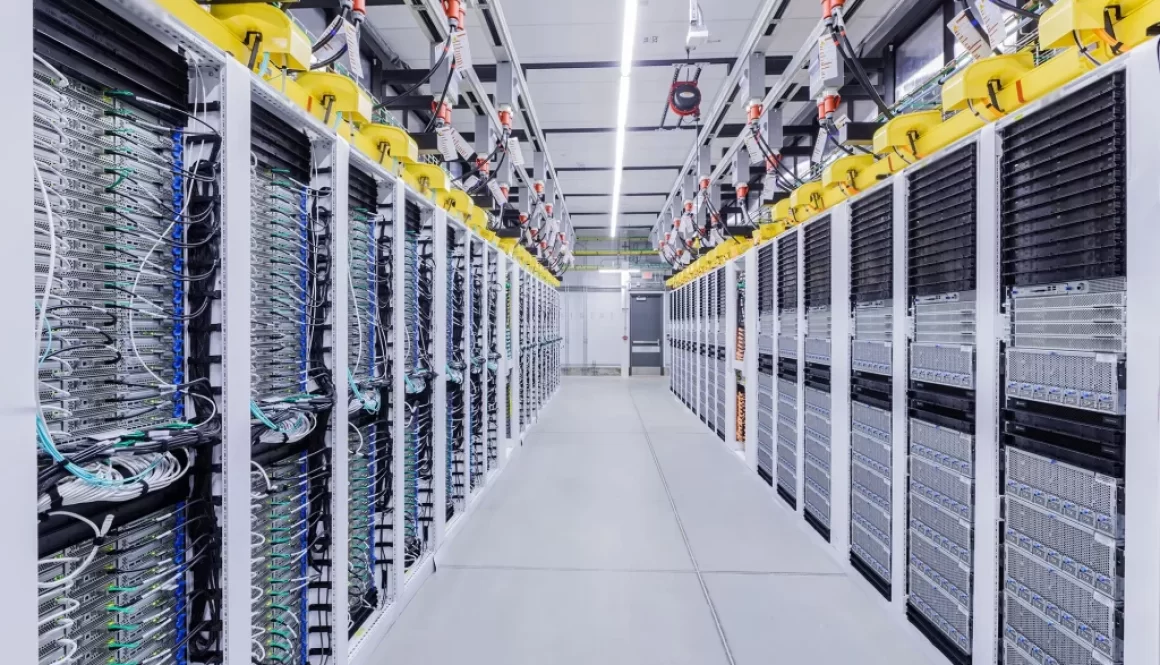
Enhancing Data Center Efficiency with Optimal LED Lighting
- 1. Introduction
- 2. Enhance Safety and Operations with Superior Illumination
- 3. Focused Lighting for Focused Employees
- 4. Choosing the Right Data Center Lighting: A Practical Guide
- 5. CAE Lighting: Lighting the Way in Data Center Efficiency
- 6. FAQs
Optimal Data Center Lighting Solutions
Data centers are critical environments where both technology and human operators interact intensively. This synergy is greatly enhanced by optimal lighting, which is not just about illumination but about enhancing safety, efficiency, and the overall working conditions in such sophisticated setups. Data center lighting plays a pivotal role in operational efficiency and energy conservation, embodying principles of sustainability and technological integration.
Enhance Safety and Operations with Superior Illumination
Illuminate High-Temperature Environments Safely and Efficiently
Data centers, especially in high-temperature environments, demand robust lighting solutions that can withstand extreme conditions without compromising performance. The use of LED lighting solutions such as Squarebeam Elite from CAE Lighting ensures these spaces are lit efficiently, promoting better cooling and energy management. This not only aids in achieving sustainability goals but also enhances the operational capacity of servers, directly impacting revenue.
Combat Poor Illumination to Protect Your Staff and Equipment
Poor lighting in data centers can lead to severe operational disruptions. It makes it challenging for technicians to perform essential tasks such as troubleshooting and maintenance. Implementing comprehensive lighting solutions like Quattro Triproof Batten from CAE Lighting ensures that your data center is free from poor lighting, which improves safety, reduces the risk of accidents, and enhances the functionality of your staff and equipment.
Focused Lighting for Focused Employees
Circadian Lighting: Aligning Work with Natural Light
The adoption of circadian lighting systems is a transformative approach in data centers. By simulating natural daylight, these systems align with the human body’s internal clock, enhancing employee alertness, reducing fatigue, and promoting better overall health and productivity.
Choosing the Right Data Center Lighting: A Practical Guide
Essentials for Unoccupied and Occupied Spaces
While unoccupied spaces don’t require constant illumination, they should be designed to enhance security surveillance. Motion-sensor LED fixtures such as the Budget High Bay Light from CAE Lighting can activate upon entry, supporting security operations without wasting energy. For spaces that are always occupied, lighting should facilitate interactions with equipment and maintenance activities, adhering to TIA-942-A standards for optimal lux levels.
Efficiency and Cost-Effectiveness
Data centers benefit significantly from LED lighting, which offers high lumen output and longevity, reducing not just the energy consumption but also the cooling requirements due to less heat output. This directly translates into cost savings and a reduced carbon footprint.
Innovative Power Solutions
Choosing between traditional line voltage systems and more modern solutions like Distributed Low-Voltage or Power over Ethernet (PoE) can affect both the efficiency and flexibility of data center operations. PoE, for instance, supports centralized control and real-time energy usage monitoring, which is crucial for large-scale data center environments.
CAE Lighting: Lighting the Way in Data Center Efficiency
CAE Lighting’s commitment to advancing data center efficiency through sustainable practices is evident in their use of recycled materials and their focus on energy-efficient LED lighting solutions. Their extensive experience in the industry, marked by the installation of over 40,000 LED fixtures across various data centers, underscores their capability and dedication to quality and sustainability.
Why Choose CAE Lighting?
Opting for CAE Lighting for your data center lighting needs means choosing a partner dedicated to excellence and tailored solutions. From ensuring safety and enhancing operational efficiency to supporting sustainability goals, CAE Lighting stands out as a leader in the industry.
FAQs
Q: What are the key benefits of LED lighting in data centers?
A: LED lighting is pivotal for energy efficiency, reducing operational costs, and meeting sustainability goals.
Q: How does circadian lighting impact data center employees?
A: It enhances their well-being by aligning work conditions with natural light patterns, boosting productivity and focus.
Q: Why trust CAE Lighting for your data center lighting?
A: Their commitment to industry-specific solutions and sustainable practices makes them an ideal choice.
Meta Description: Discover how data center lighting by CAE Lighting can transform your data center into a more efficient, safe, and productive environment. Achieve your sustainability goals and improve operational efficiencies with tailored lighting solutions.