
How to Measure Server Room Lux Levels at Floors and Rack Faces
- Recommended Server Room Lux Levels
- Standards and Design Targets
- Preparing a Lux Survey
- Measuring Floors and Work Planes
- Measuring Vertical Lux at Rack Faces
- Calculating Lighting Uniformity
- Recording and Interpreting Results
- Lighting Quality and Glare
- Controls and Emergency Lighting
- Frequently Asked Questions
Measuring a server room lux level requires more than placing a light meter in the middle of the room. A useful survey must identify where technicians work, define the measurement planes, record the lighting-control condition and check both horizontal and vertical illuminance.
This field guide explains how to measure illuminance on server-room floors, working planes and rack faces. It also covers measurement grids, uniformity calculations, survey records, commissioning checks and corrective actions for dark or uneven areas.
For broader guidance on recommended values, standards and fixture layouts, see CAE Lighting’s data center lux levels and server room lighting standards guide.
Key Takeaways
| Survey Requirement | Practical Guidance |
|---|---|
| Measurement instrument | Use a suitable calibrated lux meter and record its model and calibration status. |
| Horizontal measurement | Measure on the floor or specified working plane using a repeatable grid. |
| Vertical measurement | Measure at representative upper, middle and lower positions on rack faces. |
| Uniformity | Record average and minimum illuminance and calculate minimum divided by average. |
| Operating condition | Document occupancy mode, dimming level, sensor state and luminaires in operation. |
| Corrective action | Check obstruction, fixture position and light distribution before simply increasing wattage. |
Recommended Server Room Lux Levels
Lux measures the illuminance reaching a surface. One lux equals one lumen per square metre. Lumens describe the output of a light source, while lux describes how much of that output reaches a floor, work plane or rack face.
For preliminary planning, approximately 200–300 lux may be used for general circulation where the actual task and project requirements permit. Rack inspection, cable identification and maintenance work commonly justify approximately 300–500 lux at the relevant working surfaces.
These ranges are practical design starting points rather than universal legal limits. The final target depends on the task, local requirements, project specification, rack configuration, maintenance procedure and required vertical visibility.
| Location or Activity | Practical Starting Point | Primary Measurement |
|---|---|---|
| General aisle circulation | About 200–300 lux where tasks permit | Horizontal illuminance on the defined plane |
| Rack inspection | About 300–500 lux | Vertical illuminance on rack faces |
| Detailed maintenance | About 500 lux or supplementary task lighting | Illuminance at the actual work position |
| Emergency and escape routes | Code-dependent | Required emergency measurement plane and test condition |
A single room-wide value is not enough. A server-room floor can meet the horizontal target while patch-panel labels, lower cabinet connections or upper rack equipment remain difficult to see.
Standards and Design Targets
There is no single global standard that provides one mandatory lux value for every server room. Data-center projects normally combine infrastructure, workplace-lighting, energy, electrical and life-safety requirements.
The project team should document which standards and editions have been adopted by the relevant authority. A recommended illuminance range in a design guide should not be presented as a legal requirement unless it is supported by the applicable code or project specification.
| Reference | Relevant Context |
|---|---|
| ANSI/TIA-942-C | Data-center and computer-room infrastructure, including architectural, electrical, mechanical, fire-safety, telecommunications and security considerations. |
| EN 12464-1 | Indoor workplace illuminance, visual comfort and lighting-quality criteria where applicable. |
| EN 1838 | Emergency escape lighting requirements where adopted. |
| ANSI/ASHRAE Standard 90.4 | Energy-efficient design of data centers and their supporting systems. |
| NFPA 101 or adopted local life-safety code | Emergency egress and life-safety provisions where applicable. |
| ISO/IEC 22237 series | General data-center facilities and infrastructure framework. |
Ordinary work lighting and emergency lighting must be assessed separately. A normal server-room lux target does not automatically establish compliance for emergency escape lighting.
Preparing a Server Room Lux Survey
The survey should begin before the first meter reading. Define why the survey is being conducted and what decision will be made from the results.
A commissioning survey may verify a newly installed system against the approved design. A maintenance survey may identify output loss, incorrect dimming settings or failed luminaires. A troubleshooting survey may investigate a particular rack face or aisle where technicians report poor visibility.
Twelve-step measurement protocol
- Identify the survey purpose. State whether the survey supports design verification, commissioning, maintenance or fault investigation.
- Record the meter information. Note the lux-meter manufacturer, model, serial number and calibration date.
- Record the room dimensions. Include aisle width, rack height, mounting height and relevant room geometry.
- Document the rack arrangement. Mark rack rows, containment, cabinet doors and other equipment that affects the measurement.
- Record the operating luminaires. Identify failed, switched-off or temporarily disconnected fixtures.
- Record the control condition. Note the occupancy mode, sensor state, dimming level, schedule and manual override status.
- Define the measurement planes. Identify the floor, horizontal work plane and representative vertical rack faces.
- Establish a repeatable grid. Mark or document the location of every measurement point.
- Take readings without shading the sensor. Keep the meter in the specified orientation and allow the reading to stabilize.
- Calculate the results. Record average illuminance, minimum illuminance and minimum-to-average uniformity.
- Mark failed or weak locations. Photograph or identify points affected by obstruction, poor distribution or equipment changes.
- Repeat the same grid after corrections. Use the original points and operating conditions so the results can be compared fairly.
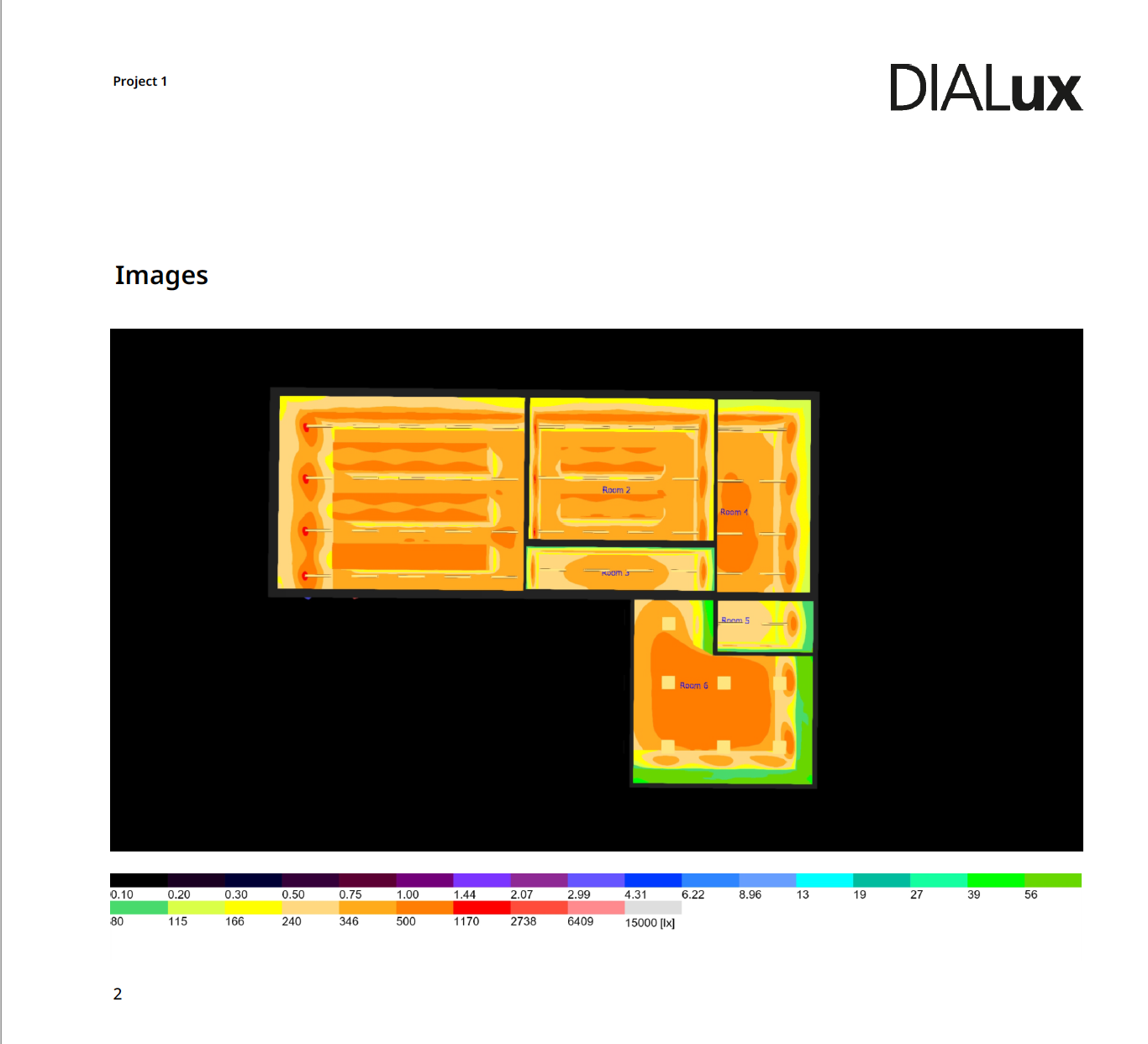
Use the equipment and aisle layout to identify repeatable horizontal and vertical measurement positions.
Keep rack doors, containment panels and portable equipment in their normal operating positions unless the survey specifically evaluates another condition. Record any temporary condition that could affect the result.
Measuring Floors and Horizontal Work Planes
Horizontal illuminance describes light reaching a level surface. In a server room, the measurement plane may be the finished floor, a defined working plane or another height specified by the project.
Hold the lux-meter sensor horizontally and facing upward. Keep your body, clipboard and other objects from shading the detector. Record the height and location of the sensor so the survey can be repeated later.
Lay out a consistent grid through each aisle and relevant working area. The grid should be appropriate to the room dimensions and the project’s measurement method. Do not rely on one central reading, because it can conceal dark points near rack ends, walls or overhead obstructions.
For every point, record:
- measurement-point identification;
- horizontal position;
- measurement-plane height;
- measured illuminance;
- lighting-control state;
- nearby obstruction or abnormal condition;
- rack-door and containment condition.
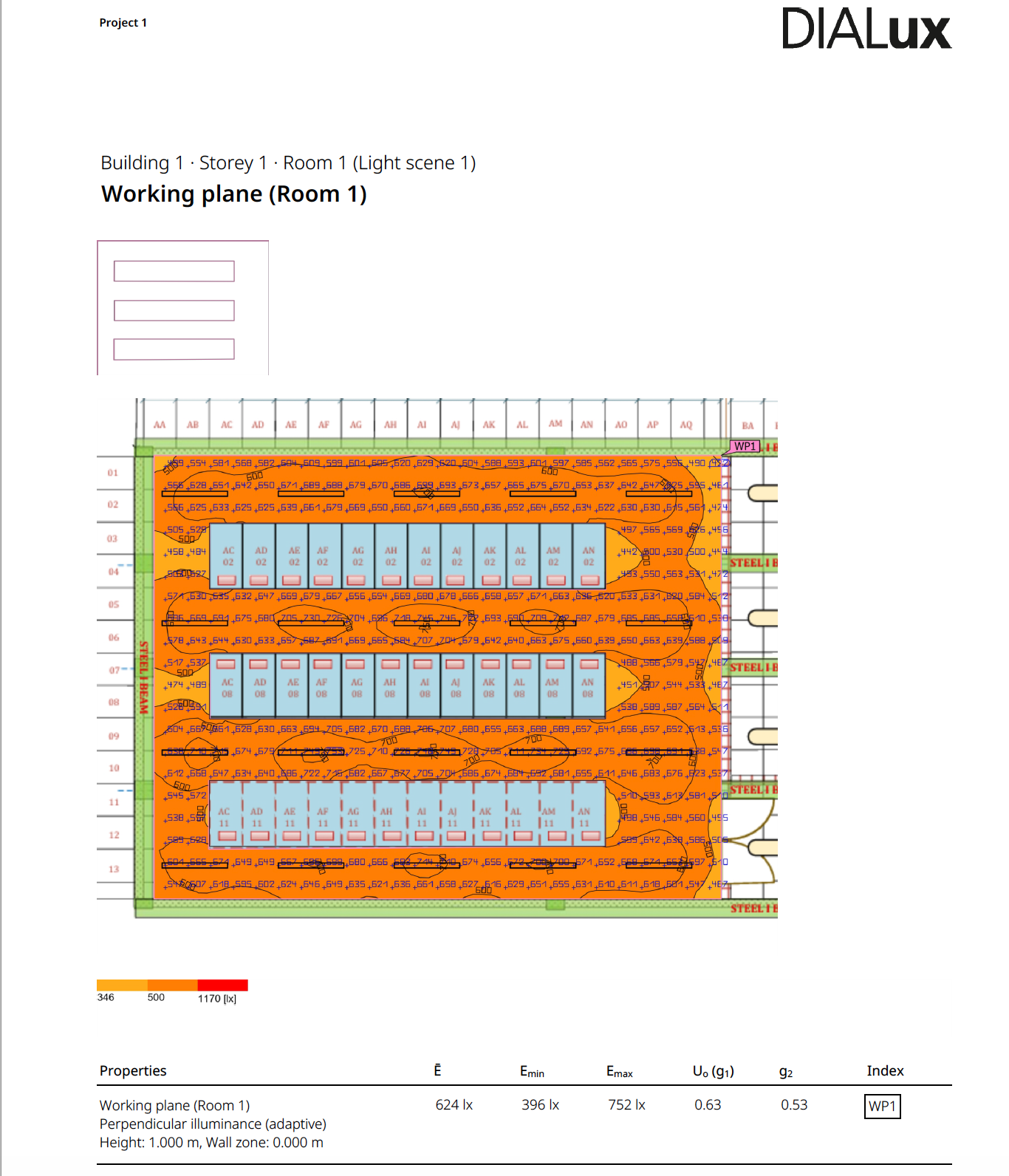
A floor illuminance plot helps compare average, minimum and distribution across data-center working areas.
Take readings with the lighting system in its intended operating mode. If the installation has standby, occupied and maintenance settings, test each required condition separately rather than mixing readings from different dimming levels.
Measuring Vertical Lux at Rack Faces
Many critical server-room tasks take place on vertical surfaces. Technicians need to identify rack numbers, status indicators, patch-panel labels, circuit markings, cable colours, handles and warning labels.
A floor-level result cannot confirm whether those details are visible. Racks, cable trays, containment frames and the technician’s body may create shadows even when the aisle floor appears bright.
For a vertical measurement, hold the detector vertically and parallel to the rack face. Orient it toward the light arriving at the working surface. Take readings at representative upper, middle and lower positions instead of using only one point at eye height.
| Vertical Position | Reason for Measurement |
|---|---|
| Upper rack area | Checks high equipment positions and the effect of fixture angle or containment structure. |
| Middle rack area | Represents common standing work and equipment inspection positions. |
| Lower rack area | Identifies shadows near the floor, lower connections and light blocked by the technician. |
Repeat the measurements on both sides of an aisle when the fixture layout or optical distribution is not symmetrical. Also check rack ends and locations beneath cable trays, busways or containment frames.
Calculating Server Aisle Lighting Uniformity
Average illuminance alone can make a poor layout appear acceptable. A few bright readings may raise the average while technicians still encounter dark areas along the aisle or at lower rack positions.
A simple minimum-to-average uniformity calculation is:
The project specification should define the required uniformity criterion and the relevant calculation plane. The ratio should not be treated as a universal acceptance limit without checking the applicable design method.
Worked rack-face measurement example
The following illustrative readings were taken at six positions across one representative rack face:
| Rack-Face Point | Measured Illuminance |
|---|---|
| Upper left | 346 lux |
| Upper right | 328 lux |
| Centre left | 402 lux |
| Centre right | 387 lux |
| Lower left | 245 lux |
| Lower right | 231 lux |
Average illuminance: approximately 323 lux
Minimum illuminance: 231 lux
Minimum-to-average uniformity: 231 ÷ 323 = approximately 0.72
The centre positions are substantially brighter than the lower positions. Before increasing total fixture output, inspect the lower rack area for obstruction, unsuitable fixture distribution or poor fixture positioning. Increasing wattage alone may make the centre excessively bright without correcting the lower shadow.
Recording and Interpreting Survey Results
A repeatable survey record should allow another technician to return later and measure the same points under comparable conditions. A list of lux readings without meter information, locations or control settings provides limited value.
Server room lux survey record
| Field | Survey Record |
|---|---|
| Project and room | |
| Survey date and time | |
| Lux-meter model and serial number | |
| Calibration date | |
| Fixture operating state | |
| Dimming level and control mode | |
| Measurement-plane height | |
| Rack-door and containment position | |
| Average illuminance | |
| Minimum illuminance | |
| Minimum-to-average uniformity | |
| Observed obstruction or defect | |
| Corrective action |
When a reading is lower than expected, investigate the physical cause before changing the entire lighting system. Common causes include:
- a cable tray or busway blocking the beam;
- a fixture positioned directly above an obstruction;
- inappropriate optics for a narrow aisle;
- excessive spacing between luminaires;
- incorrect dimming or control settings;
- a failed driver or LED module;
- dirt accumulation on the fixture;
- new containment or equipment added after the original design;
- dark finishes that were not represented in the calculation;
- the technician or surveyor shading the detector.
Correct the distribution or obstruction where possible. Local task lighting may be more effective than increasing the output of every fixture when only one detailed work position is deficient.
Lighting Quality, Glare and Equipment Visibility
Lux readings describe illuminance, but they do not describe every aspect of visual quality. A server aisle can achieve its average lux target and still be uncomfortable or difficult to work in.
Assess glare from the positions where technicians normally stand and look. Bright luminaires, exposed LEDs and reflections from metal cabinets or screens may cause discomfort even when the measured illuminance appears acceptable.
UGR, or unified glare rating, is a calculated method for assessing discomfort glare under defined conditions. A handheld lux meter does not directly establish a UGR result. Apply the relevant project criterion through the lighting calculation and review it alongside the installed visual conditions.
UGR below 19 is commonly considered for NOCs and screen-based work areas where the applicable design method and project specification require tighter glare control. Selected industrial or technical spaces may use a different criterion, such as UGR below 22, where permitted by the project requirements.
Colour rendering also affects equipment work. CRI 80 or higher is commonly used for technical areas, while CRI 90 can improve the identification of similar cable colours and small colour-coded components. A suitable neutral-white colour temperature, commonly within the 4000–5000 K range, can support visibility, but consistency and glare control remain important.

Linear luminaires can be aligned with server aisles to support continuous distribution and rack-face visibility.
Testing Controls and Emergency Lighting
Occupancy sensors, dimming and scheduled controls can reduce energy consumption, but the commissioning survey must confirm that they do not leave technicians unexpectedly in darkness.
Test sensor coverage with racks, containment and equipment in their final positions. Open spaces may provide apparently good detection during installation, while completed rack rows block the sensor’s field of view.
During commissioning, verify:
- detection when a person enters each controlled aisle;
- continued detection while a technician works in one position;
- appropriate time delays;
- manual override for maintenance;
- the intended occupied and standby dimming levels;
- the system’s response after control or communication failure;
- coordination between adjacent lighting zones;
- separate operation of required emergency lighting.
SeamLine motion-sensor version for occupancy-based server-room lighting control.
Emergency-lighting testing should follow the applicable local requirements, approved design and facility procedure. Do not use the normal server-room lux target as a substitute for emergency-lighting criteria.
Required emergency output must remain available through normal control or power failures. Any interface with occupancy controls, DALI, 0–10 V controls, a BMS or another control platform should preserve the required emergency function.
SeamLine emergency version with integrated battery function for project-specific emergency-lighting designs.
Frequently Asked Questions
What lux level should a server room have?
A practical starting point is approximately 200–300 lux for general circulation where tasks permit and approximately 300–500 lux for rack inspection or maintenance. Final targets should follow the actual task, project specification and applicable local requirements.
Where should server room lux be measured?
Measure horizontal illuminance on the floor or specified working plane and vertical illuminance at representative rack faces. Record the plane, height, meter orientation and control condition for every survey.
Can a phone app replace a calibrated lux meter?
No. A phone app can provide a rough screening indication, but its sensor characteristics and calibration are not a substitute for a suitable calibrated lux meter when documenting commissioning or compliance-related results.
How is server aisle lighting uniformity calculated?
A common comparison is minimum illuminance divided by average illuminance across the defined grid. The project specification should determine the applicable calculation plane and acceptance criterion.
Why measure vertical illuminance on rack faces?
Technicians work on vertical surfaces containing labels, ports, indicators and cable connections. Adequate floor-level lux does not guarantee sufficient visibility on upper, middle and lower rack positions.
How often should server room lux levels be remeasured?
The interval should follow the facility’s maintenance plan and risk assessment. An annual survey may be a practical starting point, with additional checks after changes to racks, fixtures, finishes, controls or overhead services.
Does a lux meter measure UGR?
No. A lux meter measures illuminance. UGR is assessed using a defined glare-calculation method based on factors including luminaire luminance, position, room conditions and observer location.
What should be checked when one rack area is too dark?
Check fixture position, optical distribution, cable-tray obstruction, containment structure, dimming level, equipment arrangement and local shadows before increasing the output of the entire room.
Conclusion
A reliable server-room lux survey begins with clearly defined tasks and measurement planes. Measure horizontal illuminance on the required floor or work plane, measure vertical illuminance at representative rack-face positions and record the operating condition of the lighting system.
Average lux alone is not sufficient. Review minimum illuminance, uniformity, shadows, glare, control behaviour and emergency-lighting operation. Keep the completed measurement grid as a commissioning baseline and repeat it after significant changes to the room.
When a location falls below the project target, investigate distribution and obstruction before increasing total wattage. A well-documented survey helps the project team correct the actual problem while maintaining visual comfort, energy efficiency and safe access to equipment.
Need help turning your lux measurements into a practical server-room lighting layout? Send CAE Lighting your floor plan, measurement grid and target lux levels for a preliminary lighting assessment.